The problem
The system supports a shop selling shoes online. It must run reliably on the internet, be easy to use and work across browsers and devices.
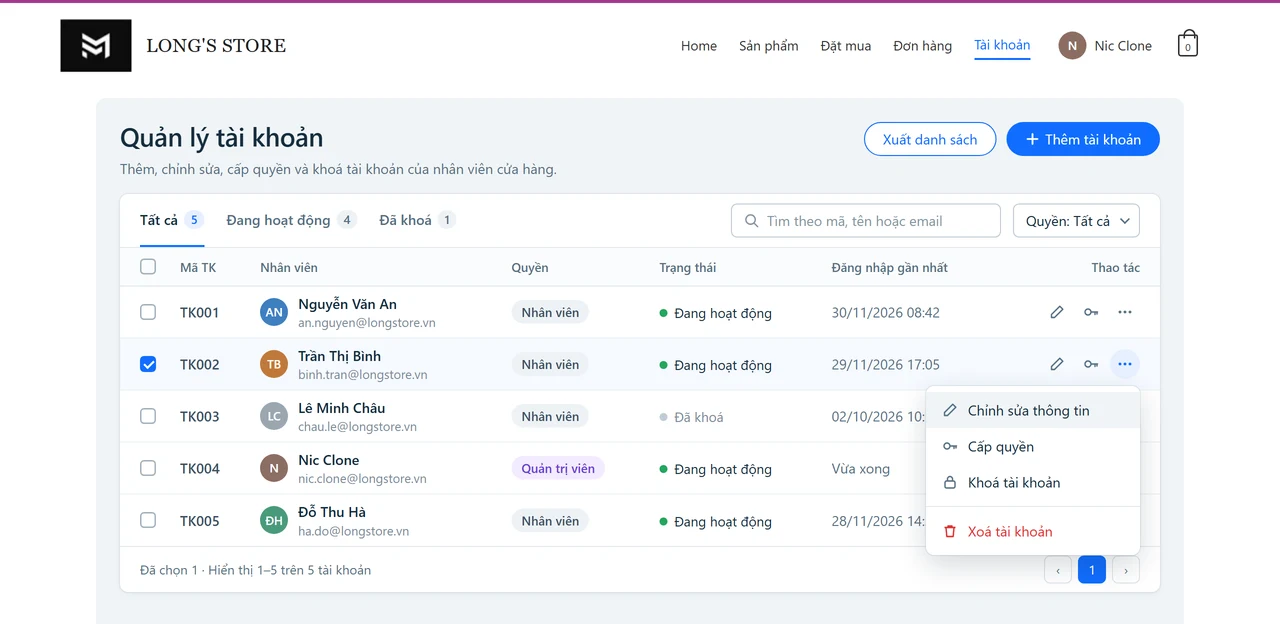
- The administrator creates, edits, deletes and issues staff accounts.
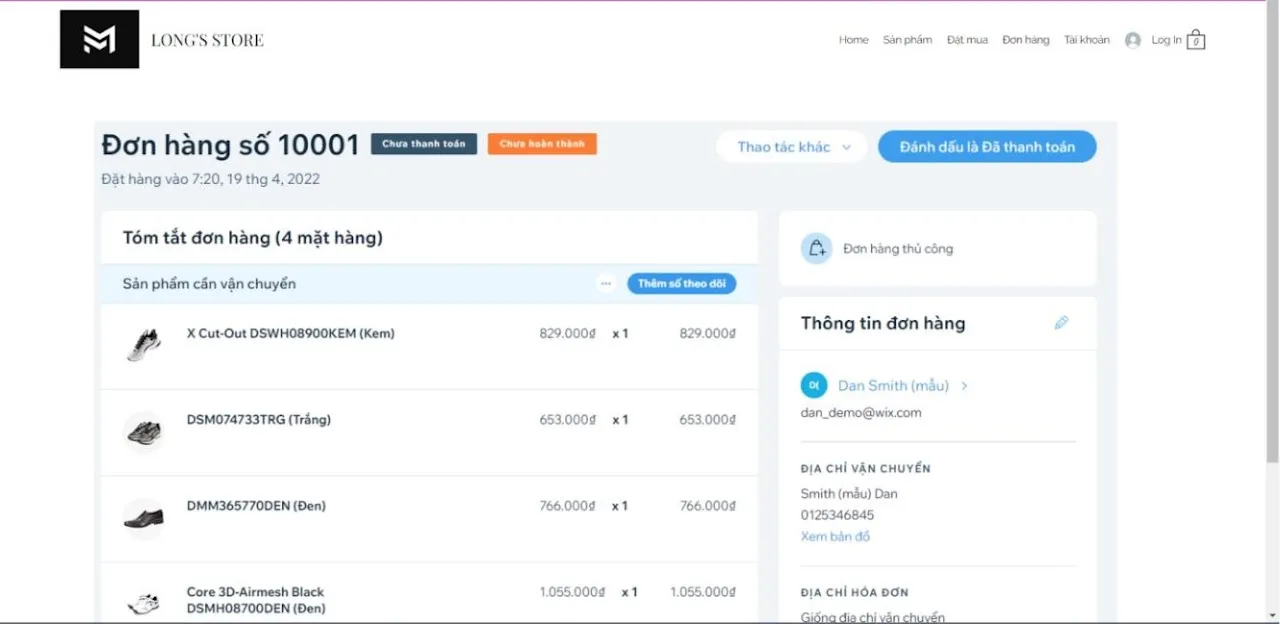
- Customers browse and search products in stock and order without logging in; customer details are kept with the order.
- Staff log in to handle orders: search, confirm and track orders that are unconfirmed, in delivery, delivered or cancelled.
- Two ways to receive goods: pick up at the shop or delivery to the customer’s address.
- Staff add new products, remove sold-out ones and update product details.
- Customers are split into first-time and returning buyers to plan care and sales.
Functional requirements
- Account management: the administrator creates, edits and deletes staff accounts.
- Log in: staff and the administrator log in to use the functions they are granted.
- Ordering: customers find products, see price and stock, then place an order with delivery details.
- Order management: staff confirm, update, search and classify orders.
- Delivery tracking: receipts and invoices for both delivery methods.
- Product management: add products, remove sold-out ones, update stock when goods arrive.
- Customer management: view details, group loyal and new customers, list who needs follow-up.
Non-functional requirements
- Operation: easy to integrate with other systems, works in every browser, technical support on call at roll-out.
- Performance: responses under 3 seconds, up to 500 concurrent users, available 24 hours a day, 365 days a year.
- Security: only the administrator configures the system and permissions; staff accounts are protected; firewall and malware protection.
- Local and legal: currency in VND; customer personal data handled under Article 69 of Decree 52/2013/ND-CP.
Actors and use cases
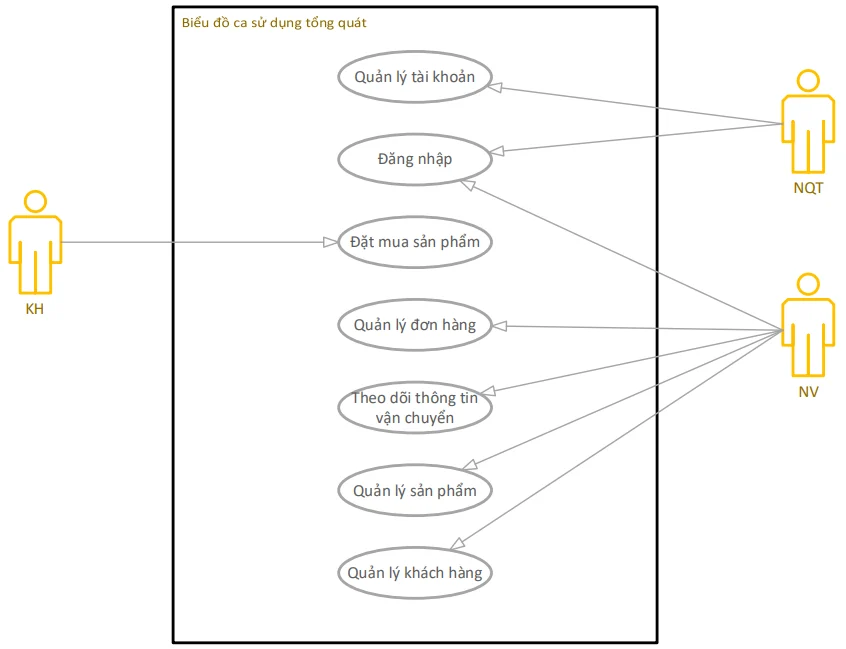
Three actors: the customer finds, views and buys products; sales staff advise and look after customers and manage orders, delivery and products; the administrator manages staff accounts and configures the system.
- R1 Account management: create an account, delete an account.
- R2 Log in: shop manager account, staff account.
- R3 Ordering: view product details, search, buy.
- R4 Order management: search, update, classify orders.
- R5 Delivery tracking: deliver by order, issue a receipt, issue an invoice.
- R6 Product management: add, update, delete products.
- R7 Customer management: view details, follow up, classify customers.
Class and sequence diagrams
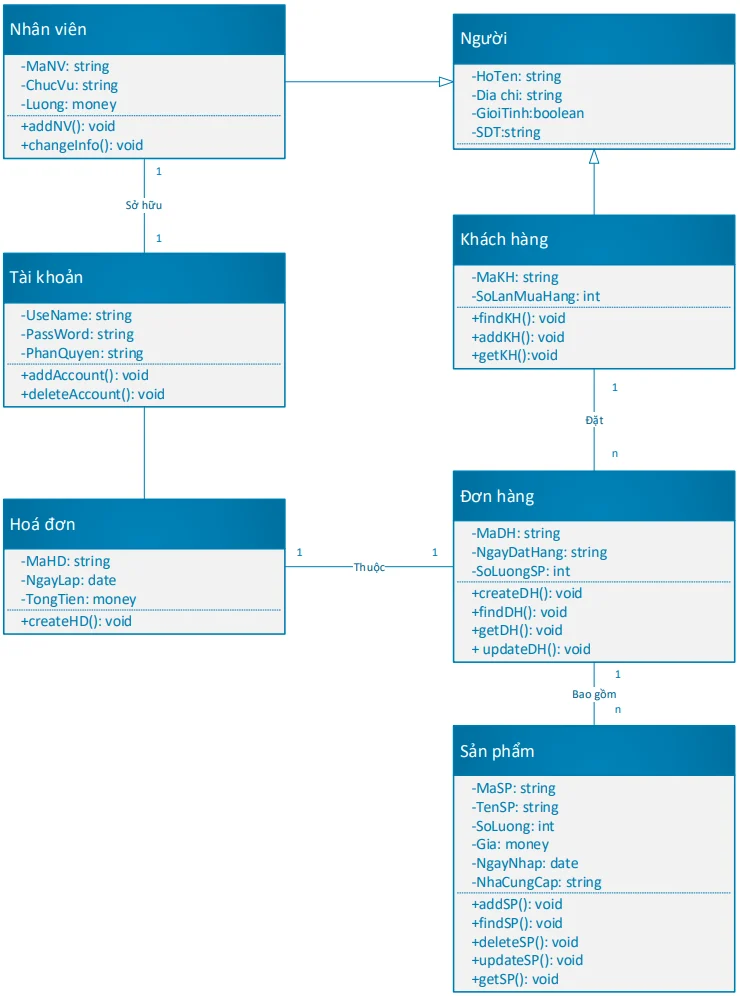
The class diagram holds Person (the parent of Customer), Staff, Account, Order, Invoice and Product, with their attributes, methods and relations: one customer places many orders, one order holds many products, each order has one invoice.
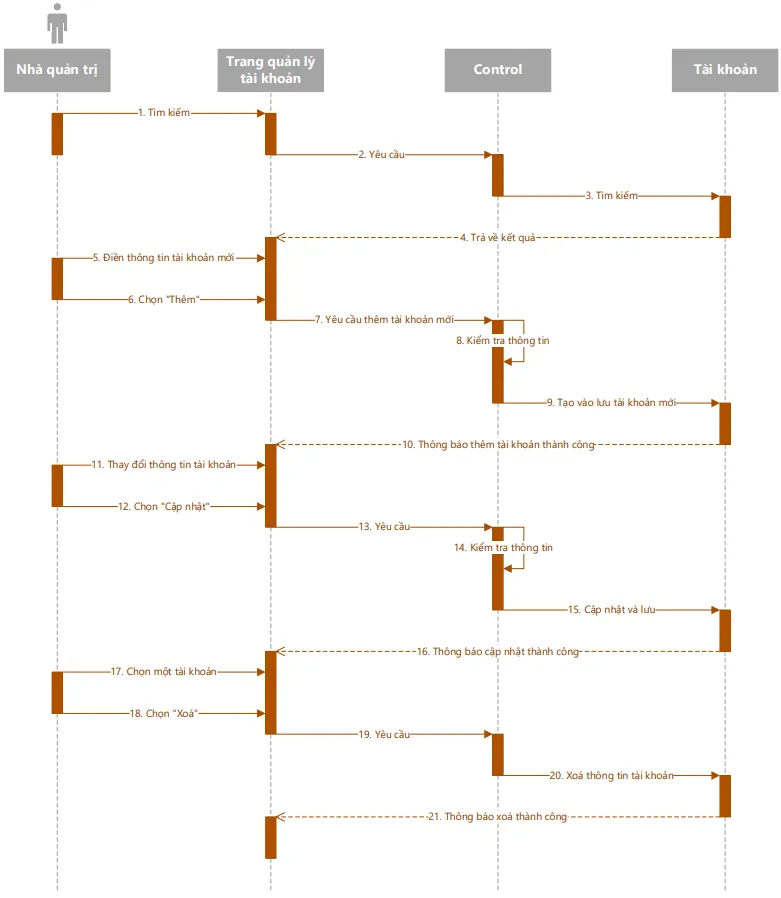
Every function has its own sequence and activity diagrams. The example below is account management: search, add, update and delete, with a validation step before saving.
System design
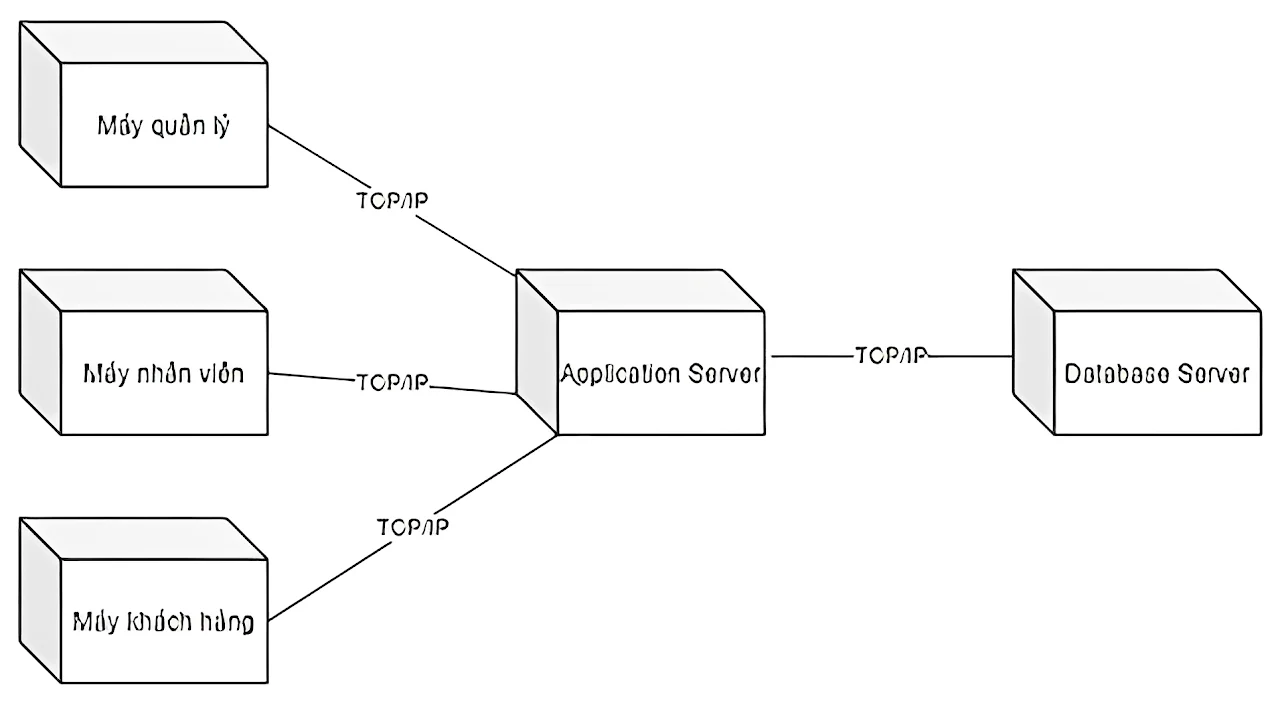
Manager, staff and customer machines connect over TCP/IP to the application server, which connects to the database server.
Screen design
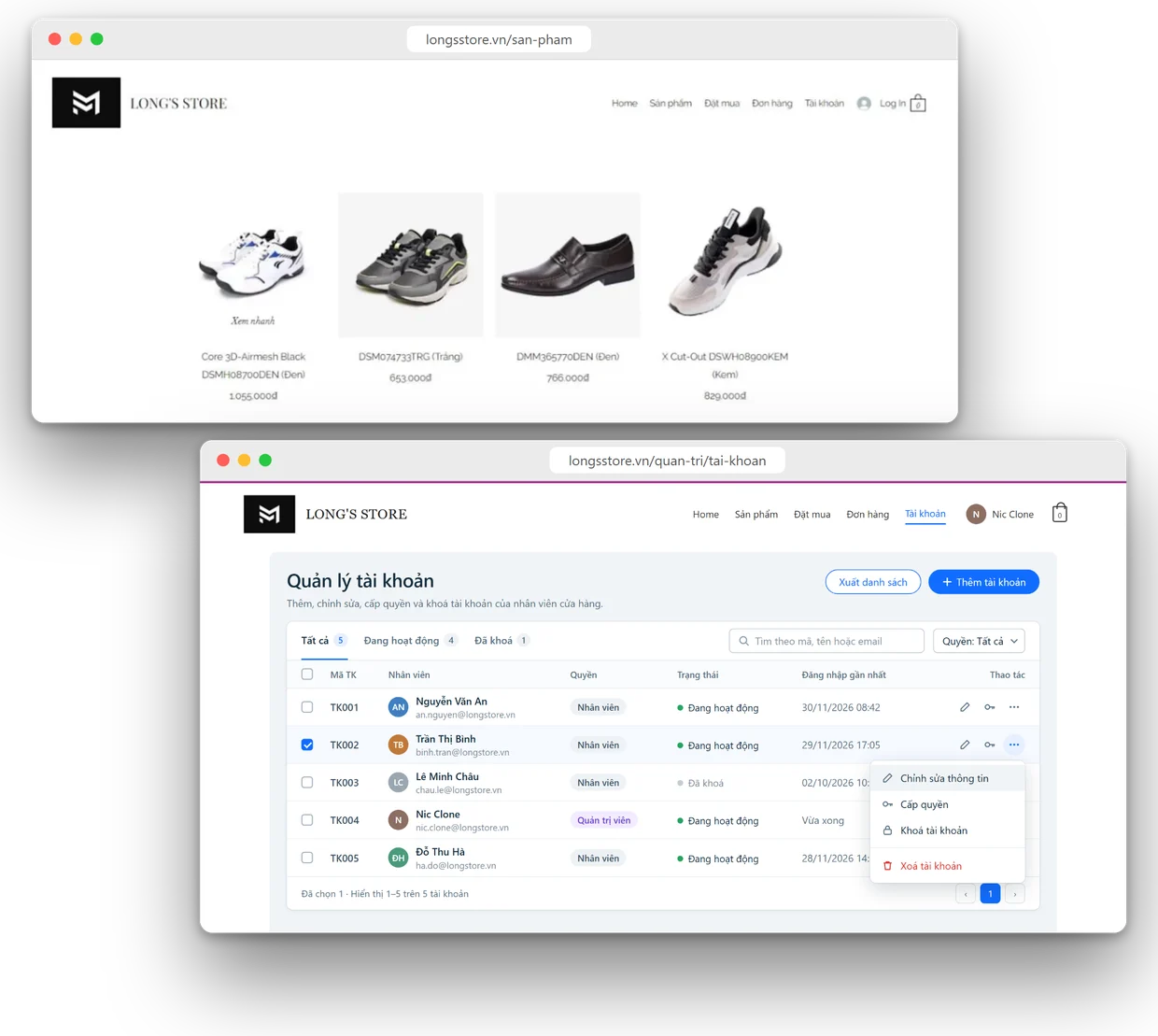
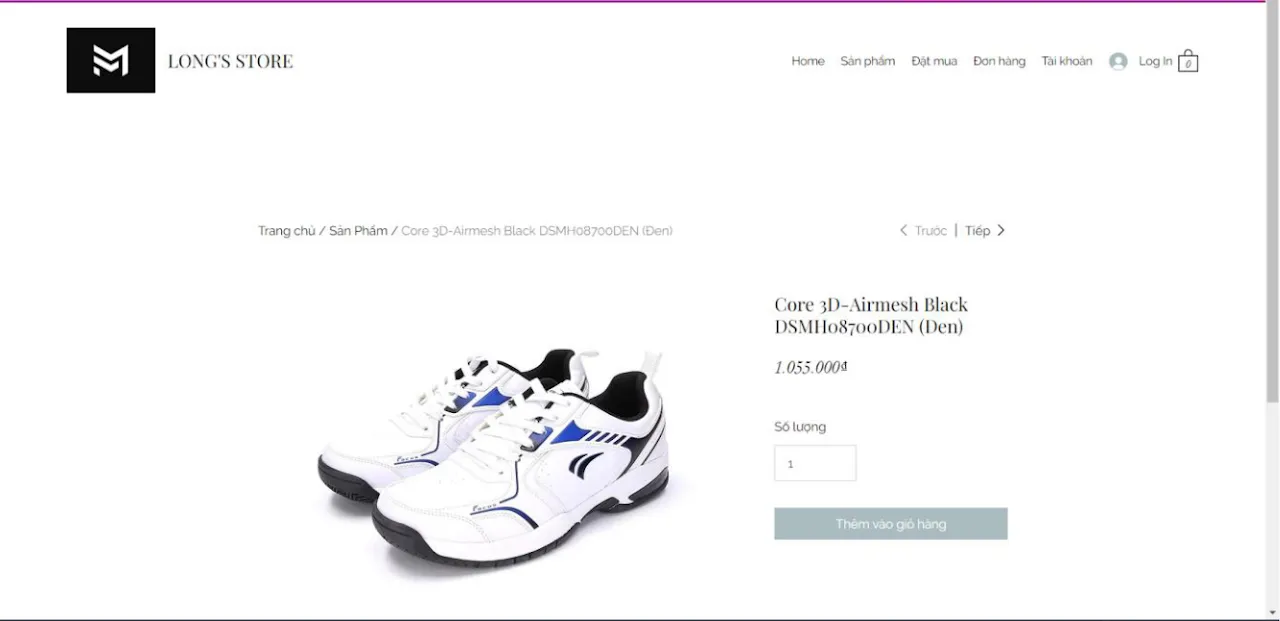
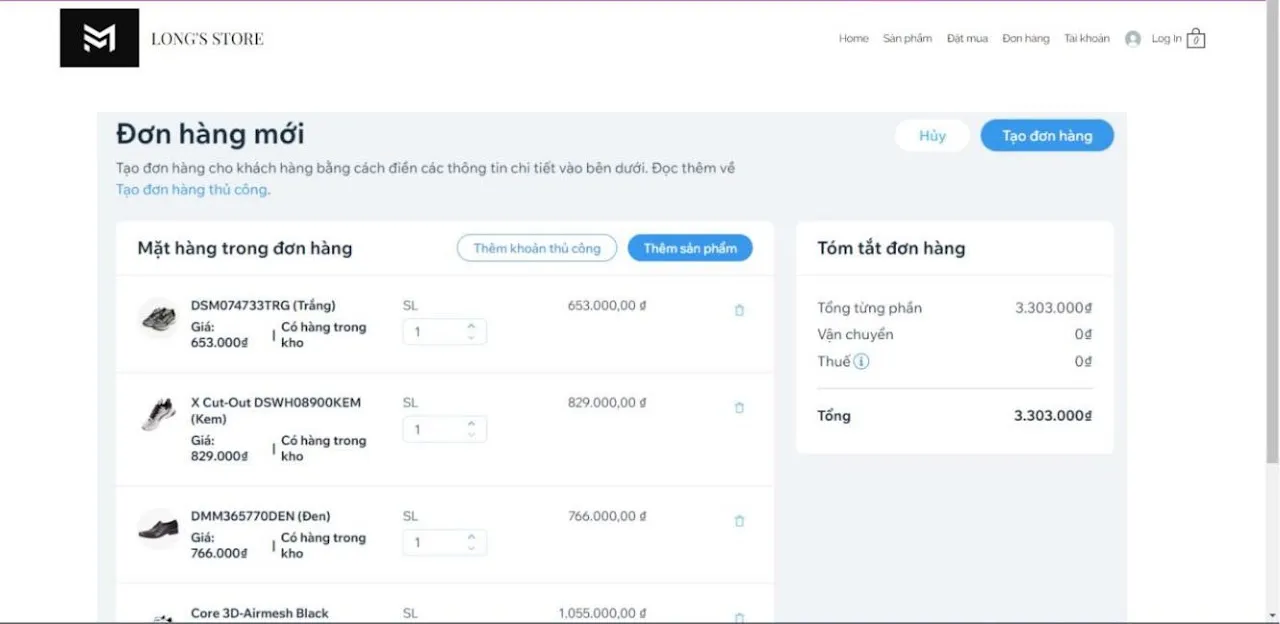
Mock-up screens for the main flows, used to check the requirements: customers browse and order, staff create and track orders, the administrator manages accounts.
Database design
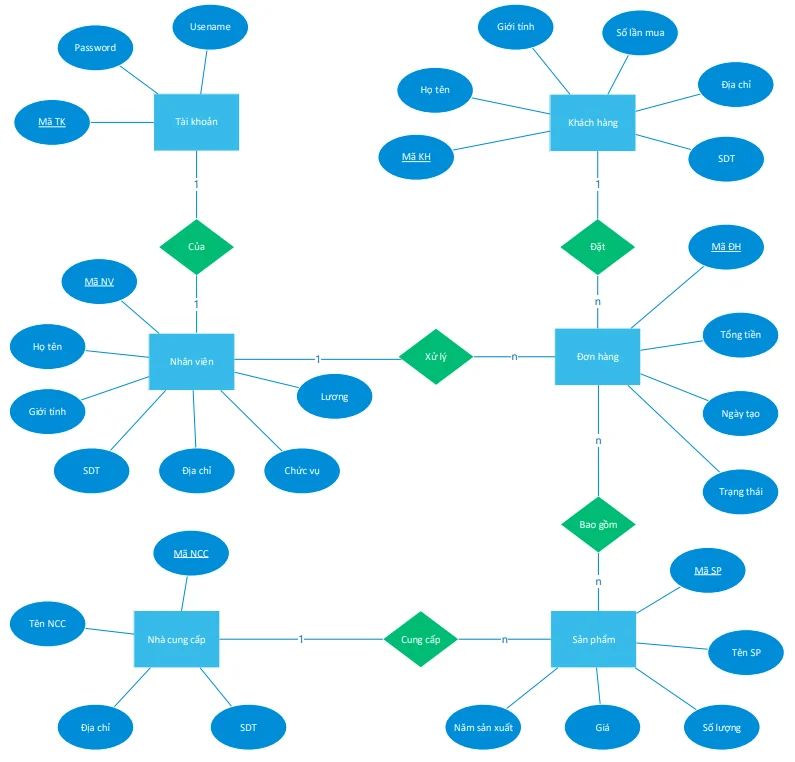
The class diagram was turned into an entity relationship (ER) model as the basis for the tables.